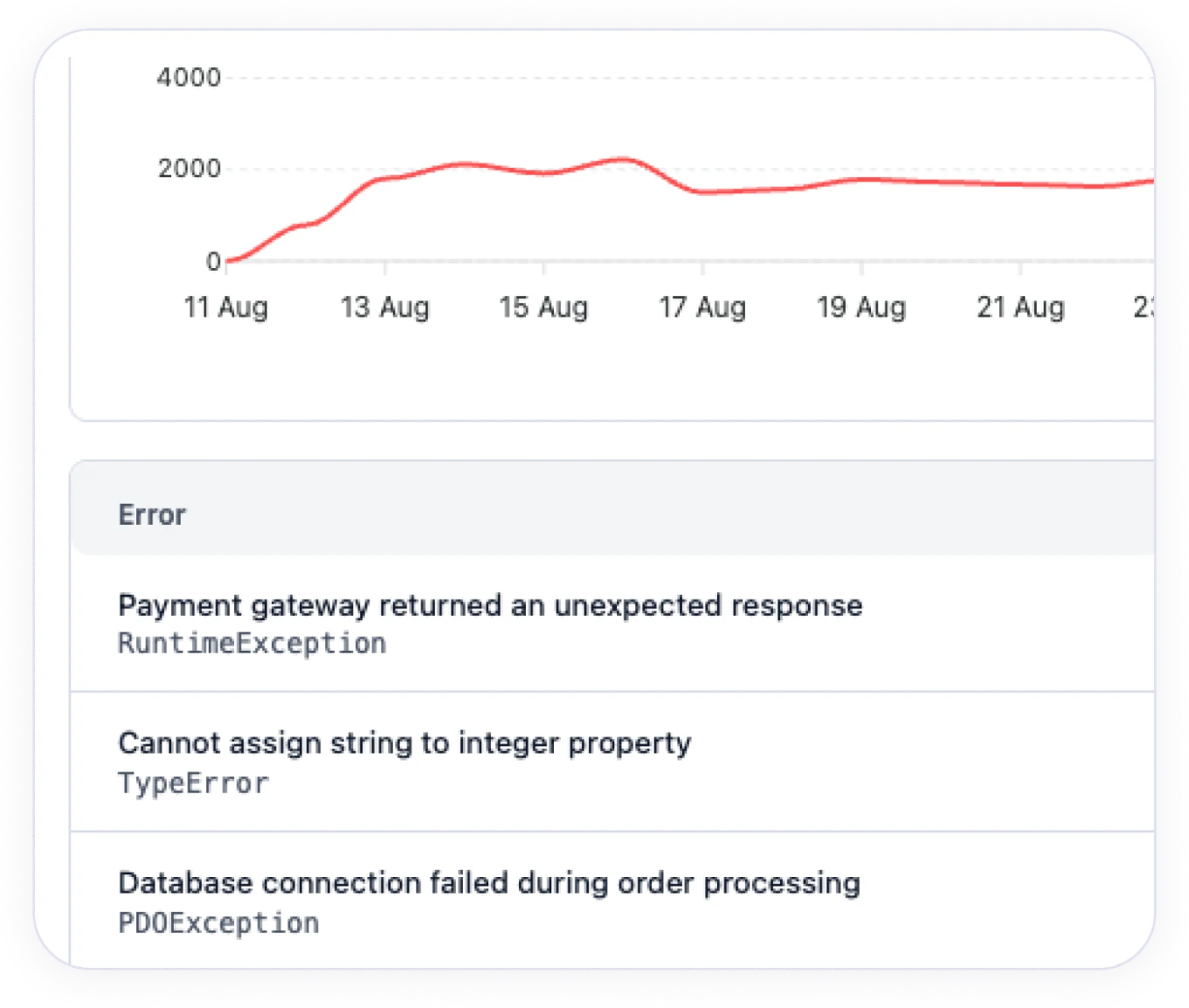
Collect errors together with the information needed to diagnose them. Repeated events are grouped into shared issues, which makes it easier to judge the scale of a problem.
You know about the problem. You can act.
Errors, outages and known vulnerabilities in your software land in one panel. You can see what needs diagnosis, which components are worth updating and whether the key features of your website work.
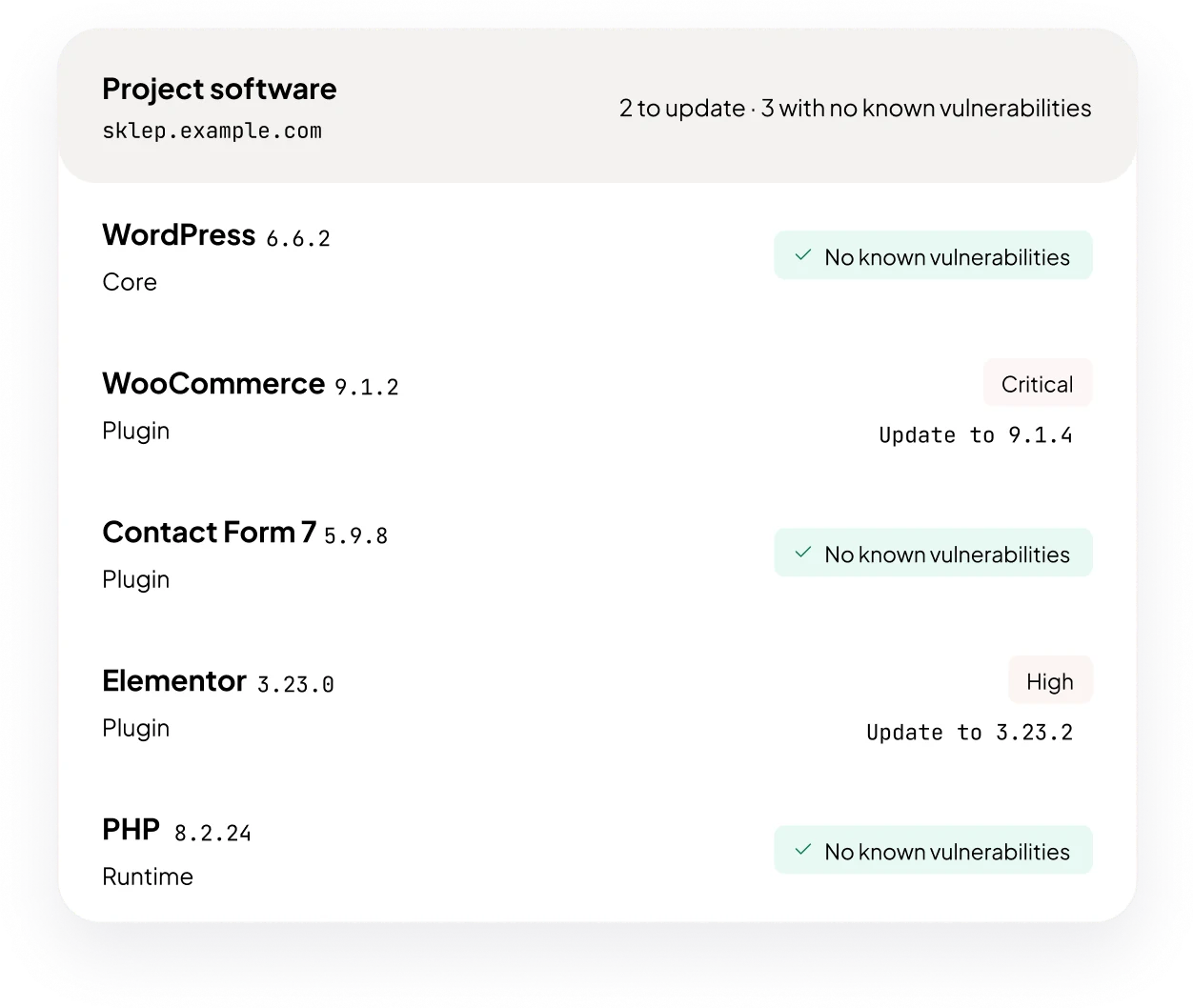
Detect known vulnerabilities in the reported versions of plugins, modules and libraries. See the risk rating and the fixed version, if one is known.
Check whether your website or API responds. Track response times and the validity of your SSL certificate. Get alerts about outages and certificates that are about to expire.
Follow PageSpeed and Core Web Vitals results on phones and computers. The history of measurements helps you notice when speed drops after changes to the website.
Set up alerts and send them to your team. DockRay can also let you know about a sudden rise in the number of errors that needs attention.
Check selected actions, such as searching for a product or adding it to the cart. Scenarios help you catch a problem even when the home page still works.
Start with your website
Create an account and add your first project. Choose what you want to monitor and set up notifications for your team.
See how DockRay helps
The state of your websites in one panel
Check whether your website or API responds, how quickly it does so and when the SSL certificate expires. In the same panel you will see application errors and known vulnerabilities in the reported software. Your team can decide what needs a response.

From an error to the information your team needs
Connect your application through a ready-made integration or the API. DockRay collects reports, groups repeated errors and shows their history. It becomes easier to notice that a problem happens more often after a new release.
Alerts where your team works
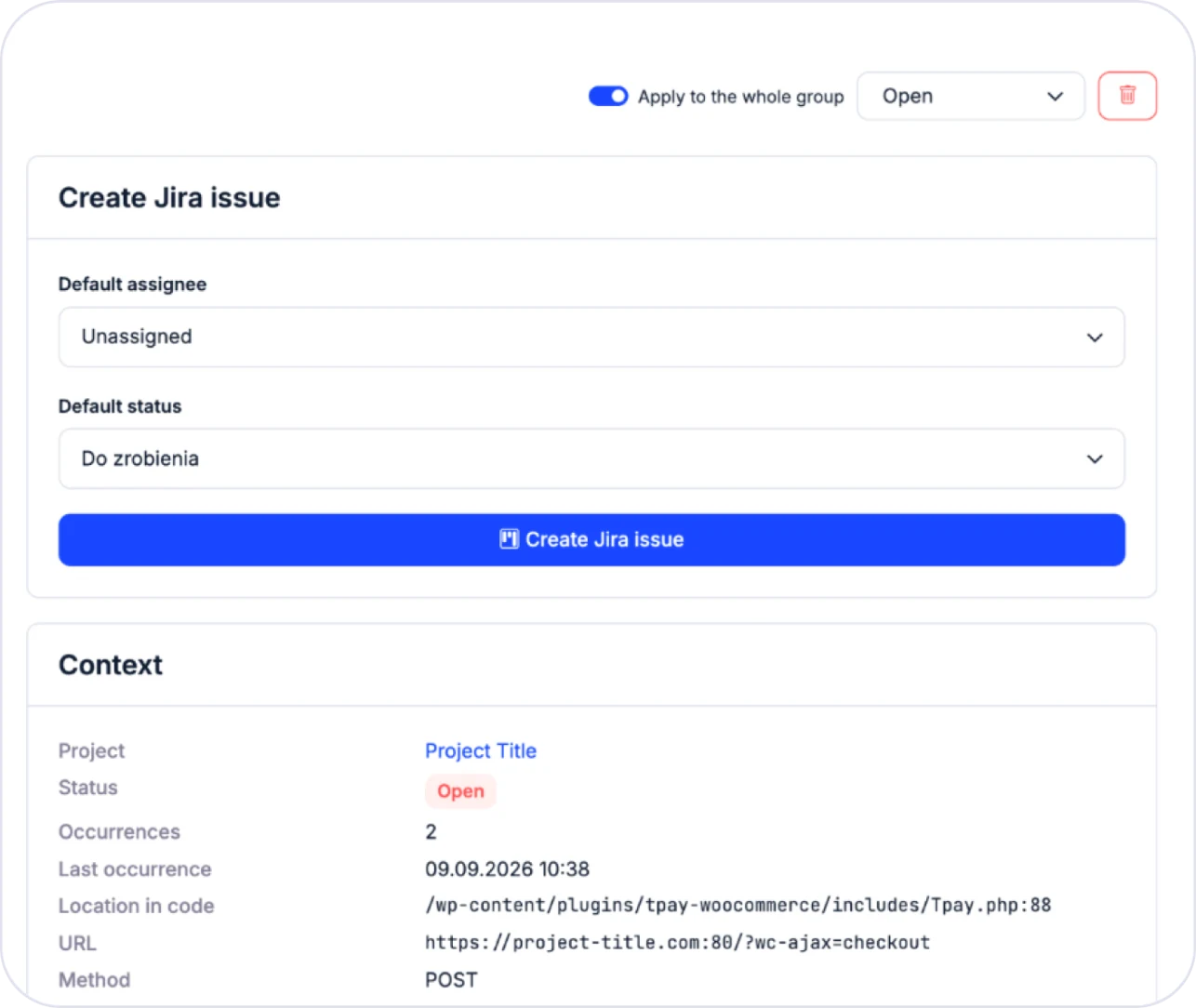
Send notifications to Slack, Mattermost or Discord. Connect error handling with Jira or Notion. Information from monitoring can become the start of a specific task.
From a detected vulnerability to an update
DockRay checks whether the software in your project has known security vulnerabilities and shows only those that match the versions you use.
-
New vulnerabilities in the software you use
DockRay checks your software versions after every report and every change in the vulnerability database.
-
Priorities and fixed versions
Risk ratings help you set priorities, and each vulnerability shows the fixed version when one is known.
-
Confirming the effect of an update
After an update, DockRay checks the new version and marks the vulnerability as resolved. You can plan the work in Jira.
Connect DockRay with your team
Add monitoring to the technology you use and send information to the tools your team already works with.
Websites and applications
Ready-made integrations help you connect WordPress, PrestaShop, Laravel and Symfony, among others. Through the API you can also send data from your own applications.
- WordPress
- WooCommerce
- PrestaShop
- Joomla
- Drupal
- Magento
- Laravel
- Symfony
- REST API
Notifications and tasks
Send alerts to your team’s channels and link issues with Jira or Notion. You can also connect DockRay to an AI assistant and give it access to selected data.
- Slack
- Discord
- Mattermost
- Jira
- Notion
- MCP
- SMTP
- SSO
Connect your website and choose what to check
Questions about DockRay
Let’s talk about monitoring your website
What can I monitor in DockRay?
You can check whether websites and APIs respond, follow SSL validity, performance and application errors. DockRay also checks the reported software for known vulnerabilities and tests selected user journeys. The scope depends on how the project is connected and which options you choose.
How do I turn on vulnerability detection?
Add an integration that supports software reporting and turn this feature on. It will send a list of components with their versions, which DockRay compares with the database of known vulnerabilities.
Can DockRay check whether the cart works?
You can prepare a scenario that performs selected actions and checks the expected result, for example adding a product to the cart. The test assesses the defined path. You choose how often it runs and what it covers within the available resources.
How quickly will I find out about a problem?
It depends on the type of monitoring, how often checks run and which notifications you set up. External checks run on a regular schedule. Application errors are reported by the connected integration.
How does DockRay help detect known vulnerabilities?
It compares the reported software versions with the range of versions affected by a given vulnerability. When there is a match, it shows the risk rating and information about an available fix. It checks the project again after the vulnerability database is updated. This is an analysis of known vulnerabilities that complements application security testing.
Can I monitor my clients’ projects?
Yes. DockRay lets you work with many projects and a team. You can organise monitoring of your clients’ websites and applications and send notifications to the right people.
How do I know whether an update removed a vulnerability?
When it receives a new report, DockRay checks the component version again. If a vulnerability no longer applies to it, the problem is marked as resolved. If a vulnerable version returns to the project, the issue can be reopened. The update itself is carried out by the team responsible for the website.
Can I use DockRay for free?
Yes. You can start with the free plan and add the resources you need later. You will find the current limits for projects, errors, tests and history in the DockRay pricing.
Start for free
Start with the free plan. When you need more, expand the scope of monitoring and match it to your projects.
Free start
€0
- Website and SSL monitoring
- Application error reporting
- Known vulnerability detection
More capacity
Price depends on the scope You pay for the options you choose
- More projects and errors
- More frequent checks
- More tests and longer history
